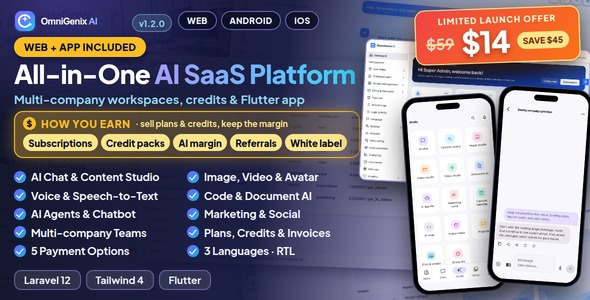
OmniGenix AI | Laravel Multi-Company Image and Video Content Creation SaaS With Flutter Mobile App
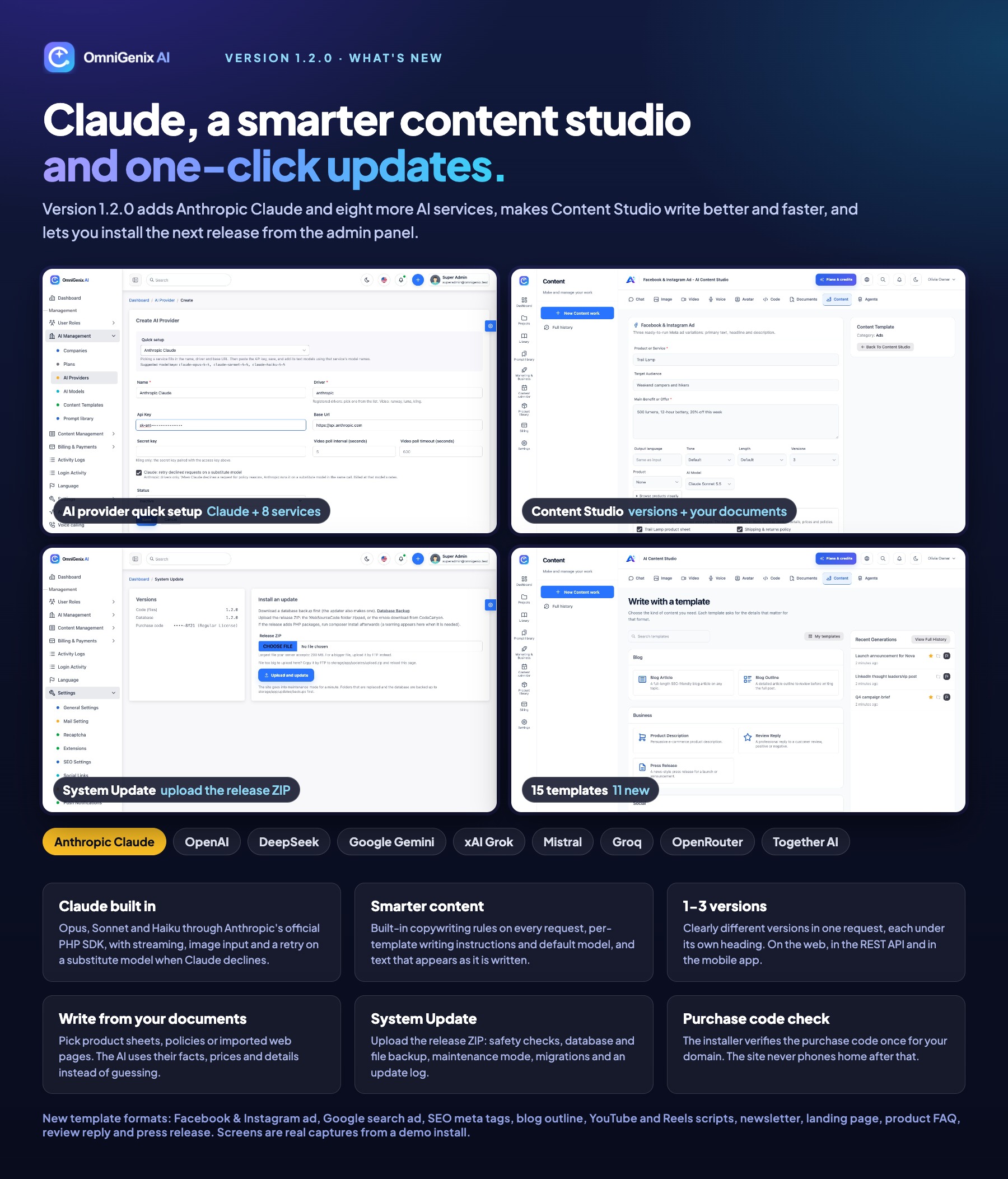
OmniGenix AI is a multi-company AI SaaS platform you can run as your own business:
a SaaS admin panel where you manage companies, plans, credits, payments and AI providers, a company workspace
with AI chat, content, image, video, avatar, voice, code, document, marketing, agent and social tools, a public landing page and blog,
and a native Flutter app for Android and iOS. One item, two deliverables: the Laravel 12 web platform (650+ routes,
including 150+ REST API v1 endpoints) and the Flutter app that uses that API.
Every company gets its own workspace, team roles and a shared credit wallet. You add your own AI provider keys, set a credit rate per model,
sell monthly, annual or lifetime plans and credit top-ups, and watch cost and margin per provider, model and company.
English, Bangla and Arabic (right-to-left) are included on the web and in the app.
AI Disclosure
|
Were AI tools used to create this item? Yes. AI tools assisted in creating parts of:
- Code: the Laravel web platform and the Flutter mobile app source code
- Documentation: the HTML documentation and the README files
- Graphics: the listing graphics (thumbnail, preview and description images). They are built from real screenshots of the running application; no AI-generated image is shown as a product screen.
All code and content were reviewed and tested by the author, and the item ships with its automated test suites.
AI features included in this item: AI chat assistant, AI content writer with templates, AI code assistant, AI image generation and editing, AI video generation, AI talking avatars, AI text to speech, AI speech to text (transcription), chat with your documents, AI website chatbots (agents), AI marketing and business tools, AI social post writing, AI UGC video scripts and AI voice calling.
These features use YOUR own AI provider accounts. They send the prompts, files and text a user submits to the AI provider you configure with your own API keys: OpenAI, Anthropic (Claude), an OpenAI-compatible service such as DeepSeek, Google Gemini, xAI Grok, Mistral, Groq, OpenRouter or Together AI, Replicate, ElevenLabs, Runway, Luma or Kling, or your self-hosted Stable Diffusion, Piper and whisper.cpp servers. No provider key is included; a fresh install has no AI provider until you add one, and the rest of the platform works without it. Provider usage is billed to you by the provider and is not included in the item price. Prompts and images are moderated, and real-person avatar and voice jobs require a recorded likeness consent.
|
Third-Party Accounts and Costs
You need your own accounts with these services and pay their fees directly. None of them is included in the item price, and no keys or accounts are shared by the author.
- Hosting, domain and SSL
Needed for: Running the web platform
Required: Yes
Cost: You; monthly hosting, free SSL via Let’s Encrypt
- E-mail delivery (any SMTP provider)
Needed for: Verification, password reset, invoices, invitations
Required: Yes
Cost: You; free tiers, then per e-mail
- AI providers: OpenAI, Anthropic (Claude), OpenAI-compatible services (DeepSeek, Google Gemini, xAI Grok, Mistral, Groq, OpenRouter, Together AI), Replicate, ElevenLabs, Runway, Luma, Kling
Needed for: Chat, content, image, video, avatar, voice, code, documents
Required: At least one
Cost: You; usage-based (per token, image, second or character)
- Payment gateways: Stripe, PayPal, Razorpay, Mollie
Needed for: Selling plans and credit top-ups online
Required: Optional (manual bank transfer works without any)
Cost: You; per-transaction fees set by each gateway
- Firebase (Google): your own Firebase project with Cloud Messaging (FCM)
Needed for: Push notifications in the Flutter app (the app uses firebase_core and firebase_messaging)
Required: Optional (the app runs without push)
Cost: You create the project with your own Google account and accept Google’s terms. FCM itself has no charge; other Firebase products you choose to enable are billed by Google
- Telephony: Twilio or Plivo
Needed for: AI voice-calling campaigns
Required: Optional
Cost: You; phone-number rental plus per-minute charges
- Social network developer apps: Facebook/Instagram, LinkedIn, X, Pinterest, TikTok, YouTube
Needed for: Social publishing
Required: Optional
Cost: You; each network’s app review, X API access is a paid plan
- S3-compatible storage: AWS S3, Cloudflare R2, Wasabi, DigitalOcean Spaces, MinIO
Needed for: Storing generated files off the server
Required: Optional
Cost: You; per GB stored and transferred
- Apple Developer Program, Google Play Console
Needed for: Publishing the Flutter app
Required: Only for the app
Cost: You; at the time of writing Apple USD 99 per year, Google USD 25 once
All of these integrations were tested with simulated responses in the automated tests; test each one with your own sandbox credentials before going live.
Demo Instructions
Web demo
Landing page: omnigenix.bugbuild.com
Log in (SaaS admin panel and company workspace): omnigenix.bugbuild.com/login
Android demo app
Download the demo APK
— it connects to the live demo. Sign in with email [email protected] and password 12345678.
Documentation
omnigenixdocs.bugbuild.com
On the demo, platform settings, credentials, team and account-security changes are read-only, and the demo data is restored every 6 hours, so please do not change the demo passwords. A fresh installation creates only the Super Admin you enter in the installer.
The 15 screenshots of this item show the web platform (SaaS admin, workspace, landing page) and the Flutter app, captured from a seeded installation.
What You Get
- Laravel Web Platform — SaaS admin (79 screens), company workspace (101 screens), public landing page, blog and CMS pages, REST API v1.
- Flutter Mobile App — one native codebase for Android and iOS (no WebView): workspaces, AI studios, library, projects, files, brand kit, team and billing.
- 16 switchable extensions — AI Chat, Content Studio, Code Studio, Image Studio, Product Photoshoot, Video Studio, AI Avatar, UGC Ads, Voice Studio, Document AI, AI Agents, Website Chatbot, Marketing & Business tools, Social Publishing, Voice Calling and White label, plus drop-in plugins through
plugins/*/plugin.json.
- Full source code, migrations, seeders with a complete demo workspace, automated tests and documentation, in
Main_Files/WebSourceCode, Main_Files/AppSourceCode and documentation.
- Plain, readable PHP and Dart — no encoded files. The purchase code is checked once, during installation; the site never phones home after that.
- Web installer — requirements check, purchase code verification, database, install and first Super Admin; it locks itself after the first run.
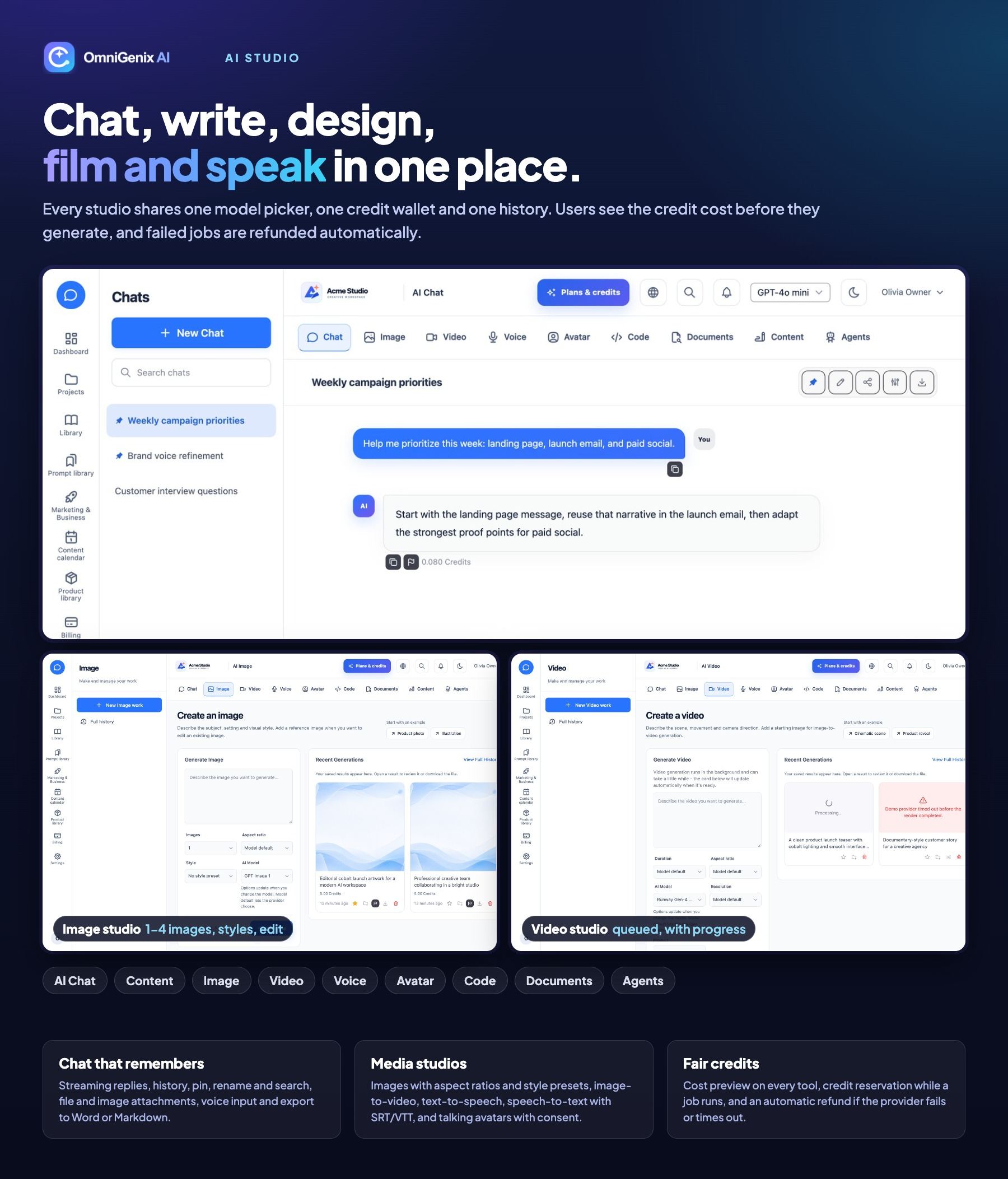
- System Update screen — upload the next release ZIP in Admin → Settings → System Update: safety checks, automatic database and file backup, maintenance mode, migrations and an update log. Or update by hand with
php artisan omnigenix:update.
Application Features
AI Studios
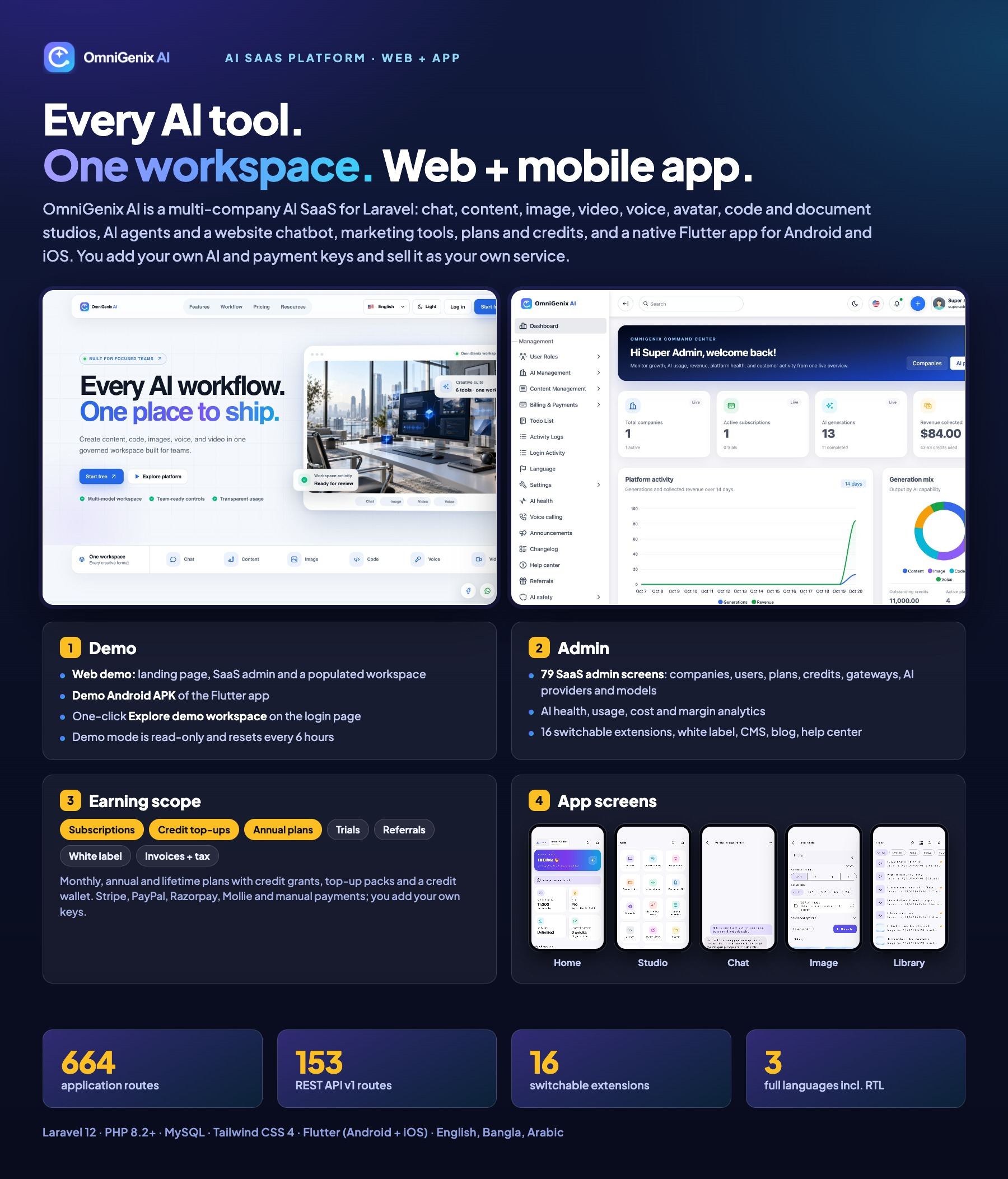
- AI Chat: streaming replies, history, pin, rename and search, attachments (PDF, DOCX, TXT, MD, CSV, JSON and images for vision models), voice input, regenerate, prompt library, Brand Kit as context, export to Markdown, text, Word or print
- Image Studio: 1–4 images per request, aspect ratio, style presets, negative prompt and edit-from-photo
- Video Studio: duration, aspect ratio, image-to-video, queued jobs with progress (Runway, Luma, Kling or Replicate)
- AI Avatar: talking video from a consented portrait and a script
- Voice Studio: text-to-speech and speech-to-text with TXT, SRT and VTT export
- Cost preview in credits on every tool, and automatic refund when a provider fails or a job times out
Content, Code and Documents
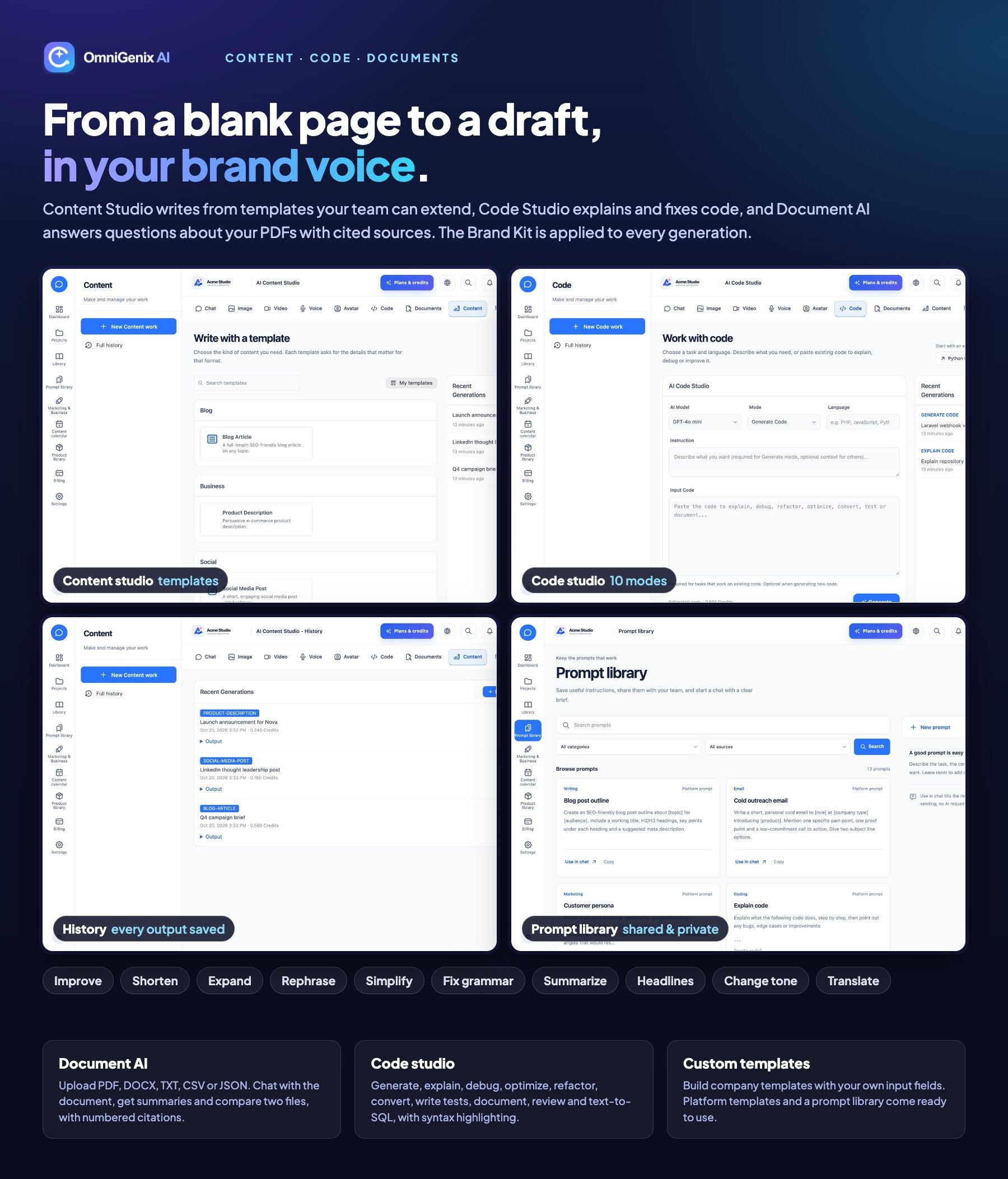
- Content Studio: 15 ready templates (blog, ads for Facebook, Instagram and Google, SEO meta tags, YouTube and Reels scripts, newsletter, landing page, product FAQ, review reply, press release and more) plus custom templates, live streaming output, 1–3 versions per request, writing from your own documents and imported web pages, tone, length and language, and 10 refine tools (improve, shorten, expand, rephrase, simplify, fix grammar, summarize, headlines, change tone, translate)
- Built-in copywriting rules on every request, and per-template writing instructions and a default AI model (for example a stronger model for long articles, a faster one for social posts)
- Code Studio: generate, explain, debug, optimize, refactor, convert, tests, docs, review and text-to-SQL
- Document AI: upload, chunking and embeddings, chat with documents with cited sources, summaries and two-document comparison
- Prompt library (platform, team and private prompts) and a Brand Kit applied to every generation
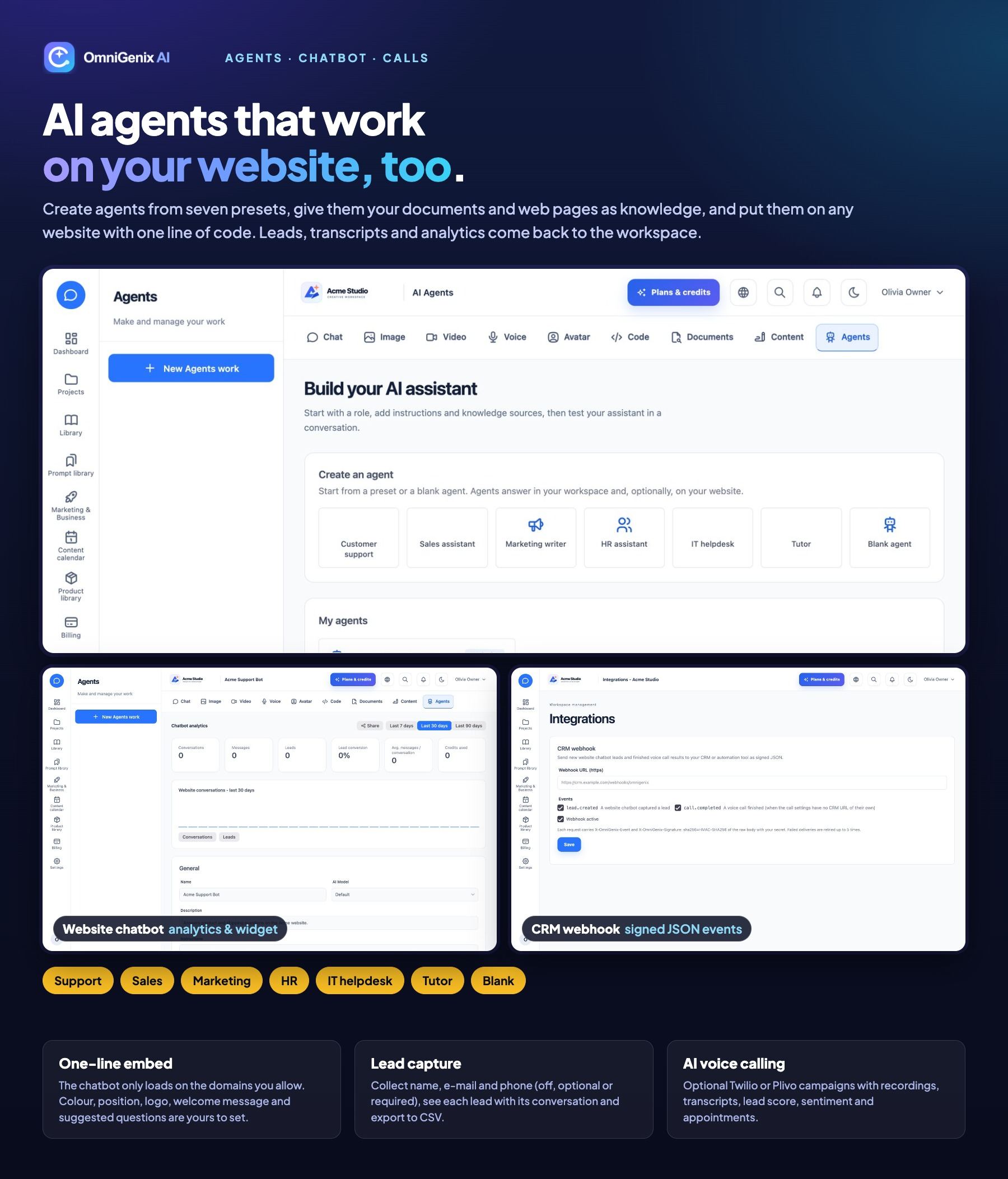
AI Agents, Website Chatbot and Voice Calling
- Agents from 7 presets (customer support, business development, marketing, HR, IT helpdesk, tutor, blank) with documents and web pages as knowledge
- Website chatbot with a one-line embed, domain allowlist, lead capture, transcripts, analytics and CSV export
- AI voice-calling campaigns through your own Twilio or Plivo account: recordings, transcripts, lead score, sentiment and appointments
- Signed CRM webhook for new leads and finished calls
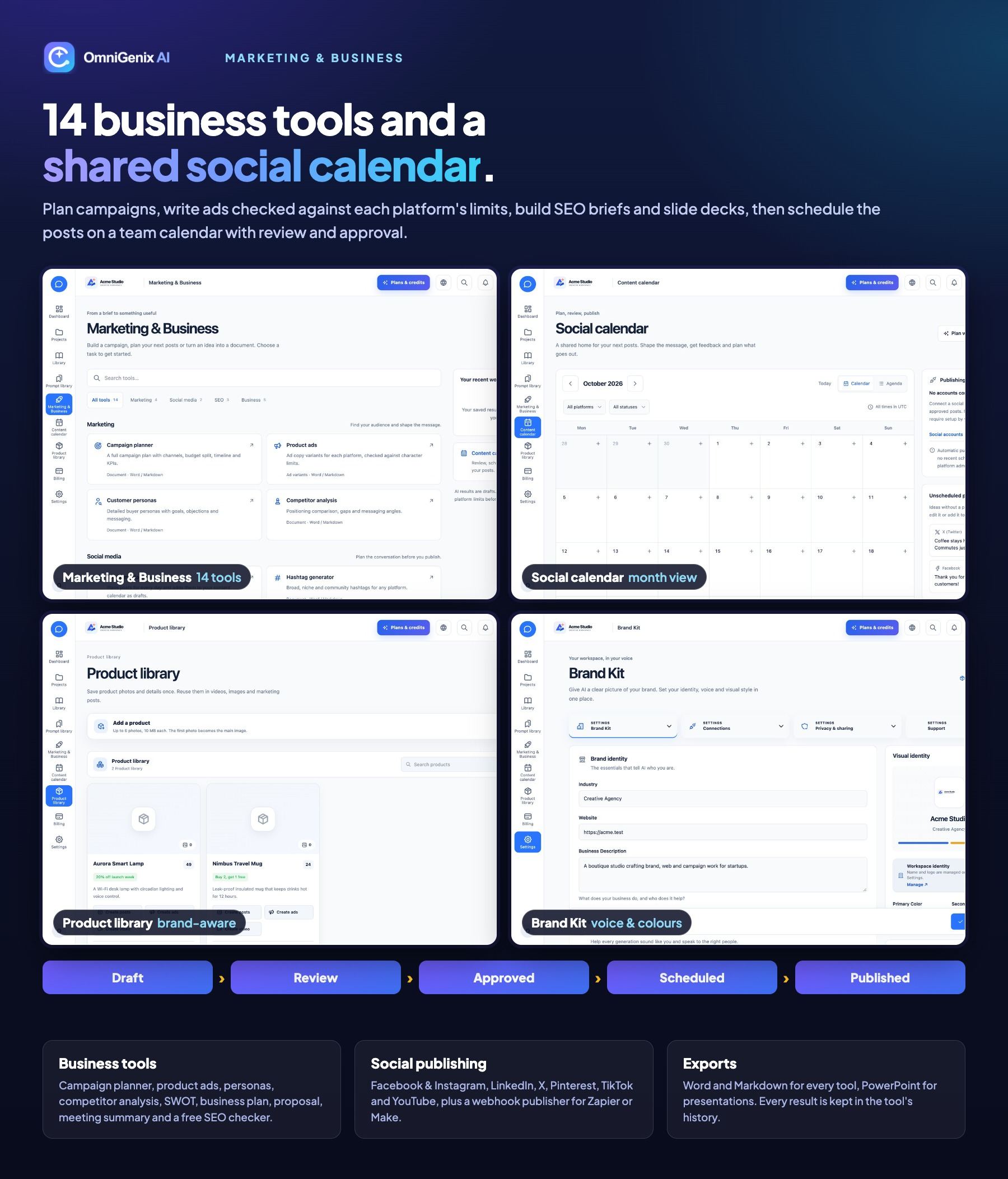
Marketing, Business and Social Publishing
- 14 tools: campaign planner, product ads, personas, competitor analysis, social media calendar, hashtags, keyword ideas, meta titles, SEO brief, presentation maker (.pptx), business plan, proposal, SWOT and meeting summary
- On-page SEO checker that uses no AI and no credits
- Content calendar with draft, review, approved, scheduled and published states, comments and approval permission
- Publishing to Facebook & Instagram, LinkedIn, X, Pinterest, TikTok and YouTube with your own developer apps, plus a webhook publisher for Zapier or Make
- Product library: attach products to copy, image, video and ad generations
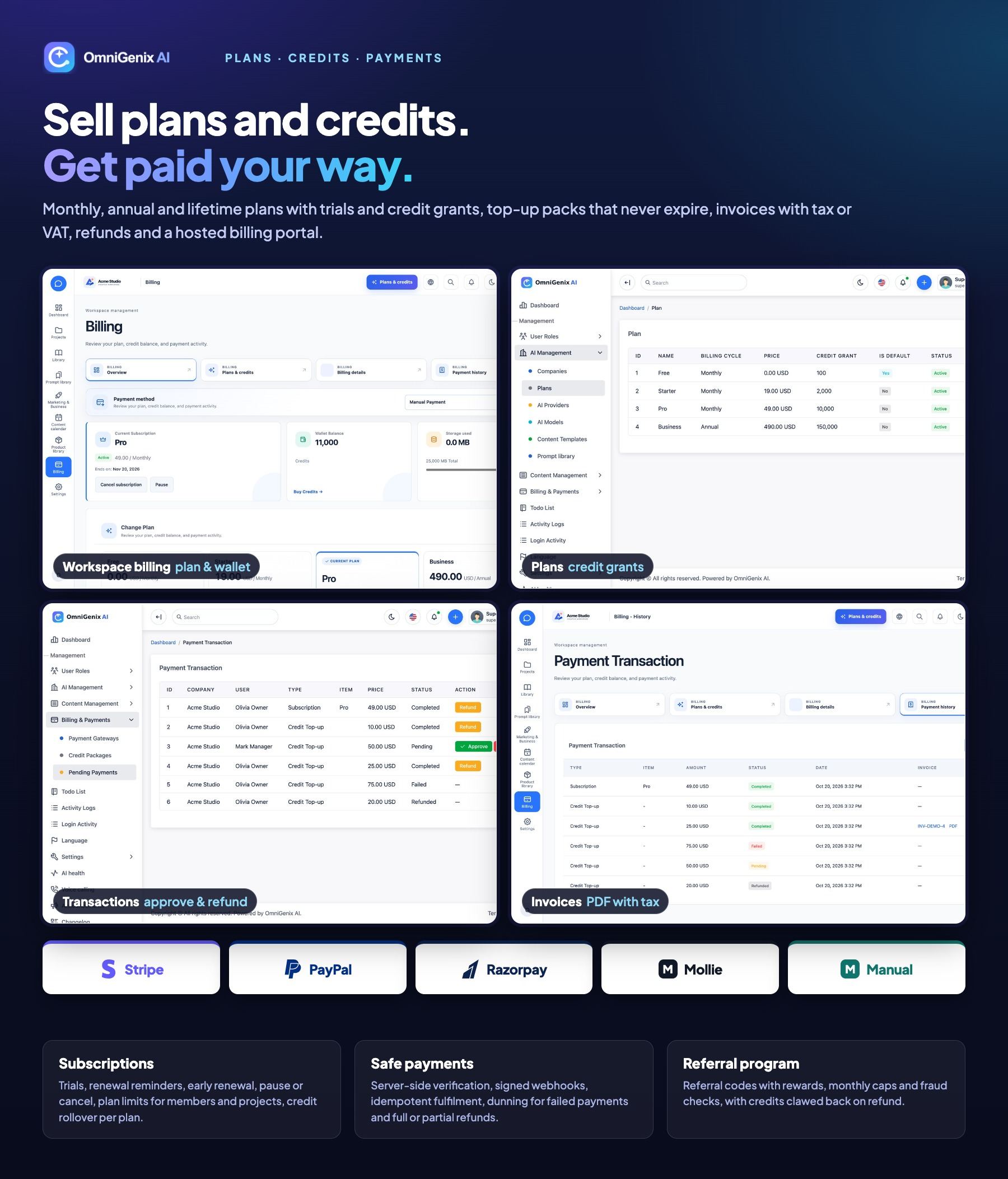
Plans, Credits and Payments
- Monthly, annual and lifetime plans, trials, credit grants, rollover and team, project and storage limits
- One wallet per company, immutable credit ledger, top-up packages that never expire, per-company daily spend limit, low-credit and abnormal-usage alerts
- Stripe, PayPal, Razorpay, Mollie and manual bank transfer, with signed webhooks, refunds, dunning reminders, invoices with tax/VAT (print / save as PDF) and the Stripe billing portal
- Referral program with rewards, monthly caps and fraud checks
Payment services: Stripe, PayPal, Razorpay and Mollie are third-party services. You create and maintain your own merchant accounts, credentials, webhooks and compliance settings and pay their transaction and currency fees.
SaaS Admin Panel
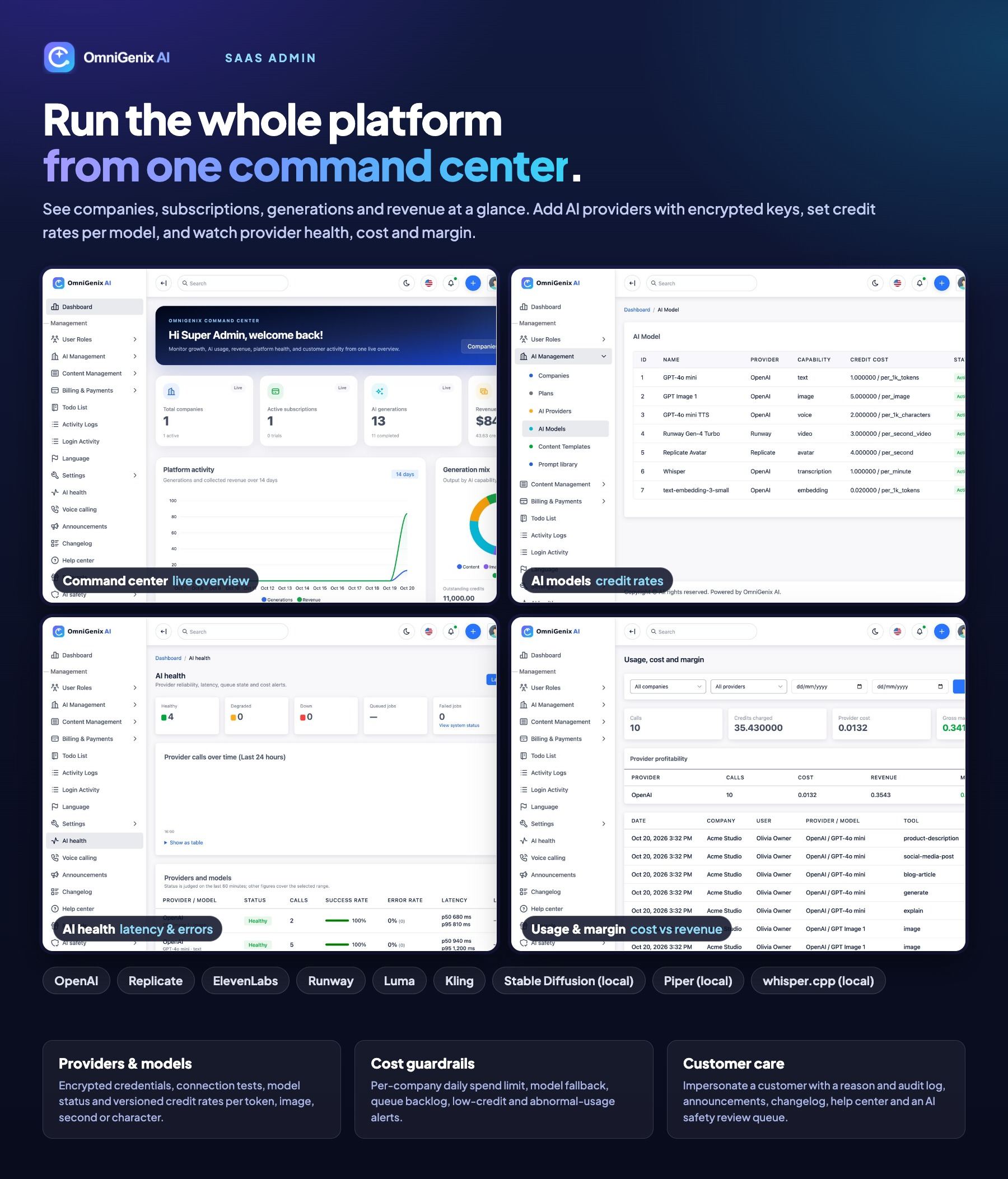
- Dashboard with companies, subscriptions, AI generations, revenue, platform activity and generation mix
- Companies, users, roles and permissions
- AI providers and models with encrypted keys, one-click quick setup (Claude, OpenAI, DeepSeek, Gemini, Grok, Mistral, Groq, OpenRouter, Together AI), connection tests, versioned credit rates and model fallback
- AI health (latency, error and success rates) and usage, cost and margin analytics
- Content templates, prompt library, image styles, AI safety review queue, announcements, changelog, help center, CMS pages and blog
- Settings: general, mail, extensions, SEO, social links, S3-compatible storage (S3, R2, Wasabi, Spaces, MinIO), FCM push, realtime live chat (Laravel Reverb), maintenance, system status with failed-job retry, database backup and one-click system update
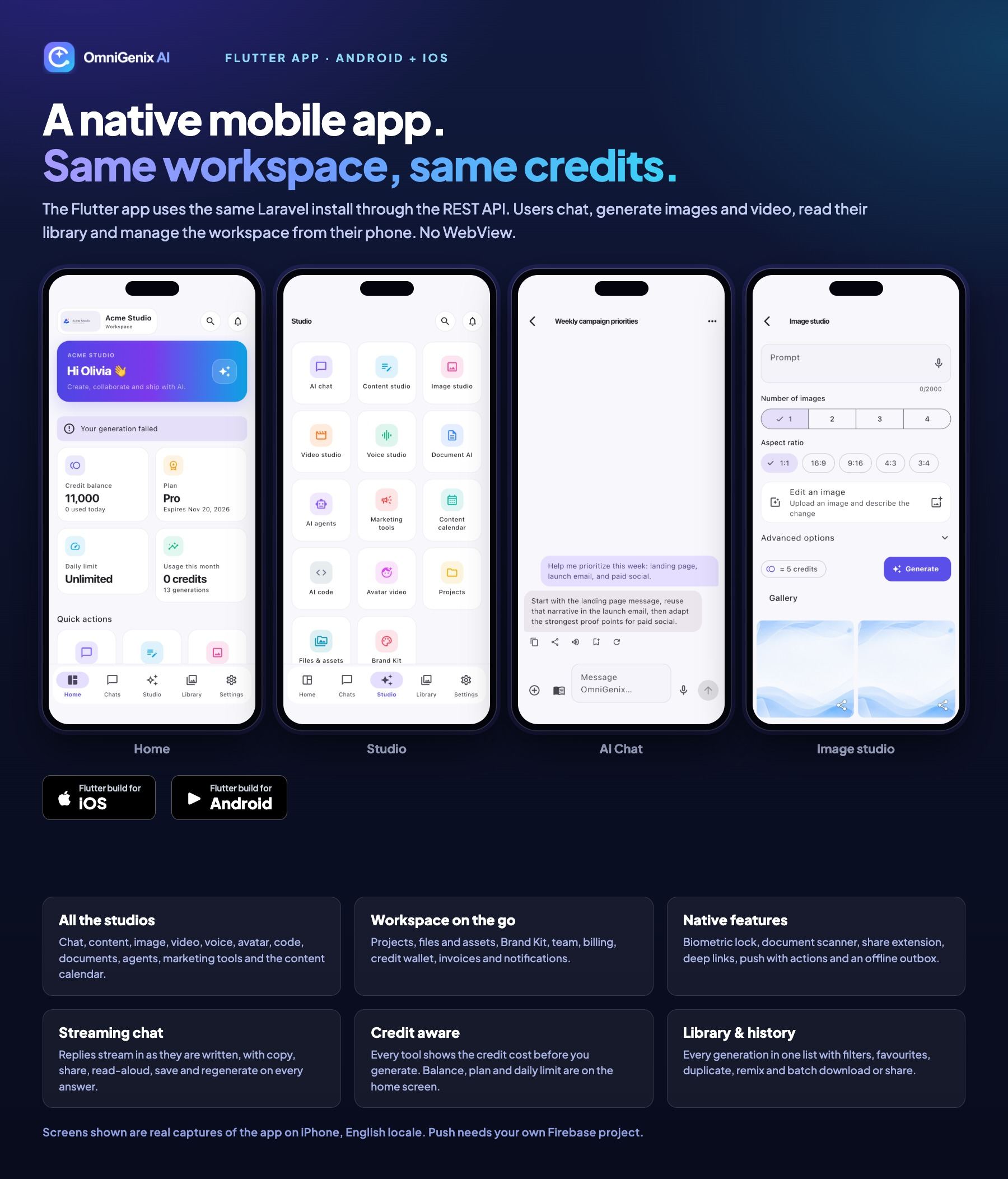
Flutter Mobile App (Android + iOS)
- Native Flutter UI with login, registration, verification, workspace picker and biometric lock with PIN
- Home dashboard with credits, plan, daily limit, usage and quick actions
- Chats, Studio (chat, content, image, video, voice, document AI, agents, marketing tools, content calendar, code, avatar, projects, files, brand kit), Library and Settings
- Document scanner, share intents, deep links, FCM push with actions, offline outbox, draft autosave and an update-required gate
- App Store ready: in-app account deletion, no purchase buttons on iOS (guideline 3.1.1), no demo login or server switch in release builds
- Android credit top-ups open your web checkout in the external browser (can be switched off with one build flag)
- FCM push needs your own Firebase project (a Google service with its own terms and possible usage charges)
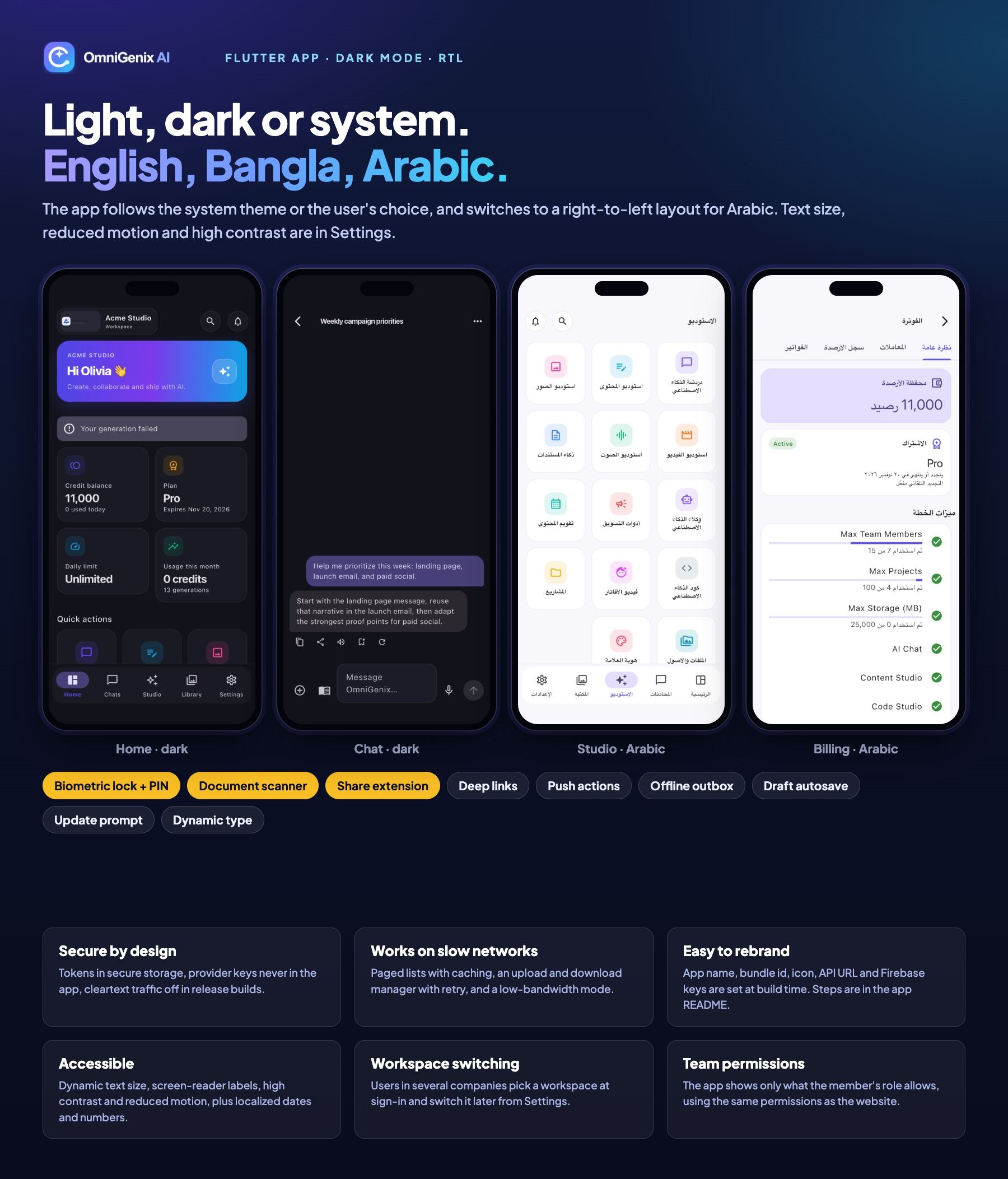
Languages, Themes and RTL
- English, Bangla and Arabic (right-to-left) on the web and in the app
- Language manager: add languages, edit phrases, JSON/CSV import and export, fallback language, per-user and per-company default language
- E-mails and notifications in the recipient’s language; locale-aware dates, numbers and currency
- Light and dark themes on the web; light, dark or system theme in the app
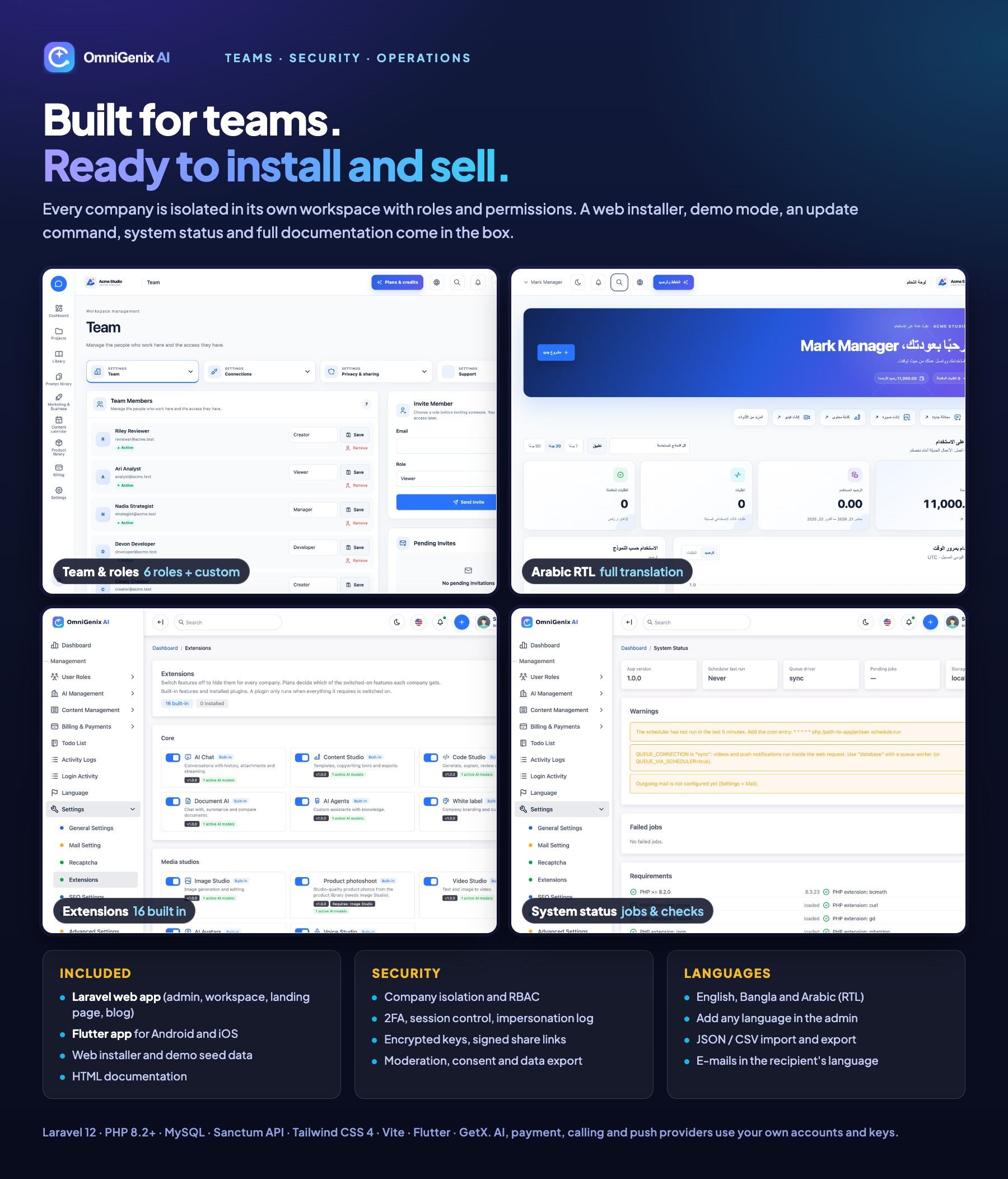
Teams, Security and Operations
- Single-database multi-tenancy with company scoping and cross-company isolation tests
- Company roles Owner, Admin, Manager, Creator, Developer and Viewer, plus custom roles and invitations
- Two-factor authentication (authenticator app and recovery codes) for web and app sign-in
- Encrypted secrets, signed private file links, share links with expiry and password, rate limits on sign-in, registration, password reset and the chatbot
- AI moderation and abuse reports, likeness consents, data export, account deletion, retention policies and cookie consent
- White label: logo, colours, custom domain and hidden vendor branding per company
- Web installer with purchase code verification, in-panel system update with backups, demo mode, scheduler heartbeat, queue hardening and
omnigenix:update
Technologies Used
- Laravel 12 (PHP 8.2+, tested on 8.3), Blade, Tailwind CSS 4, FlyonUI (free MIT community edition) and Vite
- MySQL 8.0+ or MariaDB 10.6+
- Laravel Sanctum (API tokens) and Fortify (authentication); printable invoices saved as PDF through the browser (no GPL PDF library)
- Official Anthropic PHP SDK for Claude
- Flutter with Dart 3.12+, GetX and Dio (Android and iOS)
- Firebase Cloud Messaging HTTP v1 for push (your own project)
System Requirements
Web Platform
- PHP 8.2 or newer with bcmath, ctype, curl, fileinfo, gd, json, mbstring, openssl, PDO (pdo_mysql), tokenizer, xml and zip
- MySQL 8.0+ or MariaDB 10.6+; Apache (mod_rewrite) or Nginx with the document root on
public/
- HTTPS for payments, webhooks, mobile tokens and push
- Cron for the scheduler (
schedule:run every minute) and a queue worker (Supervisor), or the cron-only mode for shared hosting
- Writable
storage, bootstrap/cache and public/uploads
- Composer 2 (the download does not include
vendor/); Node.js 20+ only if you rebuild the front-end assets
Mobile App
- Flutter (stable) with Dart 3.12+; Android Studio for Android, Xcode on macOS for iOS
- Your own app name, package/bundle id, icons, signing keys and Apple developer team
- A Firebase project for push notifications (optional; the app runs without it)
- Google Play Console and/or Apple Developer accounts to publish
Important Notes About Third-Party Services
Your own accounts and keys: AI providers (OpenAI, Anthropic, OpenAI-compatible services such as DeepSeek or Google Gemini, Replicate, ElevenLabs, Runway, Luma, Kling), payment gateways (Stripe, PayPal,
Razorpay, Mollie), Twilio or Plivo, social network developer apps, e-mail delivery (SMTP), S3-compatible storage and Firebase Cloud Messaging
are external services. You create your own accounts and supply your own API keys. These providers charge their own fees (usage, transaction,
telephony or subscription charges), which are not included in the item price. Hosting, domains and Apple/Google developer
accounts are not included either.
How integrations were tested: payment gateways, AI providers, Twilio/Plivo, the social networks and FCM were verified during
development with simulated (faked) HTTP responses in the automated test suite. Test each integration with your own sandbox credentials before
going live. Social publishing also depends on each network approving your developer app.
Honest notes: a fresh install has no AI provider; add one before the studios can generate. The descriptive features list on a
plan is display text; plan extensions, team, project and storage limits are enforced. A partial French translation is included but installed
inactive (hidden from customers) until you finish it in the language manager; English, Bangla and Arabic are complete. Two-factor authentication is built in: users switch it on from their security settings with an authenticator app and recovery codes, and the web and mobile sign-in both ask for the code. Public registration is open by default and can be switched off in Settings → Signup & referrals (invited team members can still join). Composer, npm and Flutter packages remain under their own licences (MIT, BSD, Apache-2.0; PHPPresentation and pdfparser are LGPL and installed unmodified by Composer; the Linux-only Flutter dependencies dbus and nm are MPL-2.0). See THIRD-PARTY-NOTICES.md and the documentation for credits.
Documentation
Installation, configuration, admin and workspace guides and app build steps: View Documentation.
The same files are in the documentation folder inside the download.
Support
Support is included for the period shown on the item page (6 months by default), Sunday to Thursday, 10:00–18:00 (GMT+6), with
response targets from 1 to 3 business days by priority. Please include your purchase code.
Changelog
Version 1.2.0 (18 November 2026)
- Added: Anthropic Claude as an AI provider (Opus, Sonnet, Haiku) through the official Anthropic PHP SDK, with streaming, image input and automatic retry on a substitute model when Claude declines a request
- Added: one-click provider quick setup for Claude, OpenAI, DeepSeek, Google Gemini, xAI Grok, Mistral, Groq, OpenRouter and Together AI
- Added: Content Studio live streaming, 1–3 versions per request and writing from your own documents and imported web pages
- Added: per-template writing instructions and default AI model
- Added: 11 new content templates: Facebook & Instagram ad, Google search ad, SEO meta tags, blog outline, YouTube script, Reels/TikTok script, newsletter, landing page, product FAQ, review reply and press release
- Added: Versions option in the mobile app’s content screen
- Added: System Update screen: update from the admin panel by uploading the release ZIP, with safety checks, database and file backup, maintenance mode, migrations and an update log
- Added: purchase code verification in the web installer (checked once for your domain; local addresses skip it) and
php artisan omnigenix:license
- Improved: built-in copywriting rules on every content request; Brand Kit sent as instructions
- Fixed: OpenAI-compatible services that report no token usage are now charged from an estimate instead of 0 credits
- Update note: from 1.0.0, update by hand this time: upload the files, run
composer install (a new PHP package is required), then php artisan omnigenix:update. Later releases can be installed from the System Update screen
Version 1.0.0
Initial release:
- Multi-company SaaS with roles, invites, SaaS admin, web installer and one-command updater
- Plans, trials, subscriptions, credits, top-ups, daily spend limits and feature gating
- Stripe, PayPal, Razorpay, Mollie and manual payments with signed webhooks, invoices, tax/VAT, refunds and retry
- Usage, cost and margin analytics, AI health monitoring and model fallback
- Chat, content, code, document, image, video, avatar, voice and transcription studios
- Brand kit, product library, projects, share links, media library and history
- Marketing and business tools, social publishing with a content calendar, AI agents, website chatbot and AI voice calling
- Referrals, white label, announcements, help center, moderation, data export and deletion
- Two-factor authentication (authenticator app and recovery codes) for web and app sign-in
- English, Bangla and Arabic (RTL) with a language manager
- Flutter Android/iOS app on REST API v1 with FCM push and a version gate